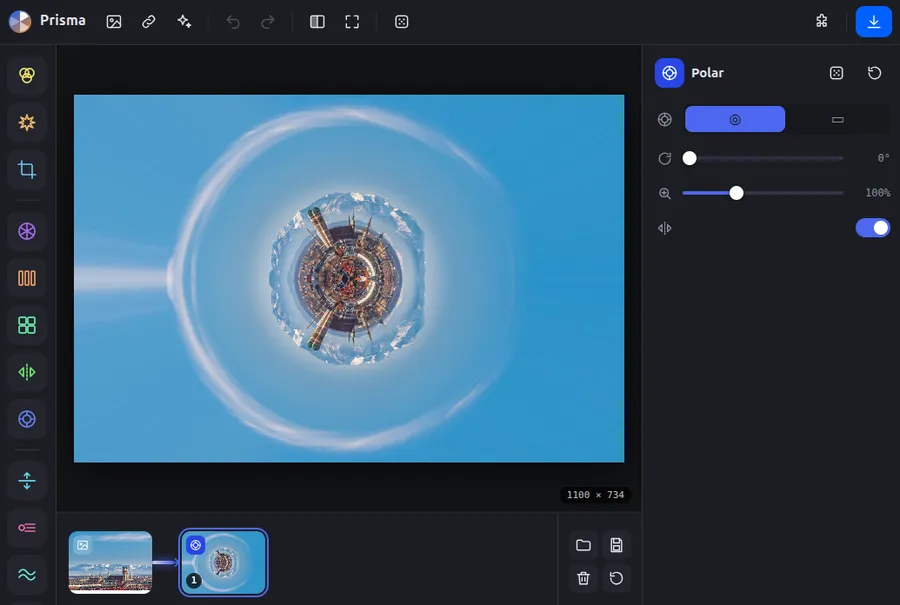
Prisma is a small art app for the browser. An image is sent through a chain of effects such as kaleidoscope, stripes, blur or glitch. Each effect has its own sliders, and each step builds on the result of the previous one. The app is a single page that runs entirely in the browser and needs no account and no installation. Your images never leave your computer.
Idea & philosophy
It began with two small single pages: a kaleidoscope and a StripArt generator. Each did exactly one thing to an image. What makes such effects exciting, though, only appears when you combine them. A kaleidoscope over a blurred image looks different from one over a sharp image, and a single strip from a photo turns into something new with a swirl and a colour shift. Prisma turns this into a tool for experimenting: you stack effects one after another, see at each step what it does to the image, and can go back at any time or change a step in the middle.
Four guiding ideas carry the app. Playful rather than technical: operation runs through icons, preview images and handles directly on the image, explanations sit in tooltips, and the dice and “Surprise me” invite discovery. Understandable even with long chains: the filmstrip shows every intermediate state as its own image, and new effects are only a draft until a deliberate tick adds them to the chain. Working directly on the image: row, column, stripe area, swirl centre or crop are chosen on the image, and number fields are only for fine tuning. Light, free and extensible: new effects can be added as a plugin in a few lines, and every chain can be saved and shared as a small file. That makes a “look” something you can pass on. Prisma belongs under art and culture because it turns photos into new visual worlds and puts the joy of trying things out at the centre.
Contents & features
Effect chain with a filmstrip: every step as a preview, reorder by dragging, show and hide, remove
Around 17 effects in four groups: Basics (colour, pop, crop), Patterns (kaleidoscope, stripes, tiles, mirror, polar), Distort (row/column, trail, wave, swirl, glitch, pixel sorting) and Look (blur, mosaic, vignette & grain)
New effects first appear as a draft and only join the chain once confirmed
Source window: choose a position, centre or mirror axis directly on the image
Undo and redo, dice for random values and “Surprise me” for a random chain
Load an image by file, drag and drop, paste or address; zoom, pan and compare with the original
Save, load and share chains as a small file
Export as PNG, JPG or WebP at 1080, 2K or 4K, with the chain recalculated at full resolution
Your own effects as a plugin (JavaScript file), with an example in the app folder
Operation by mouse, touch and keyboard, with no backend and no libraries
Status
The app is embedded directly on this site and runs entirely in the browser. No images and no data are transmitted. Plugins run with all rights of the page, so only load files you trust.
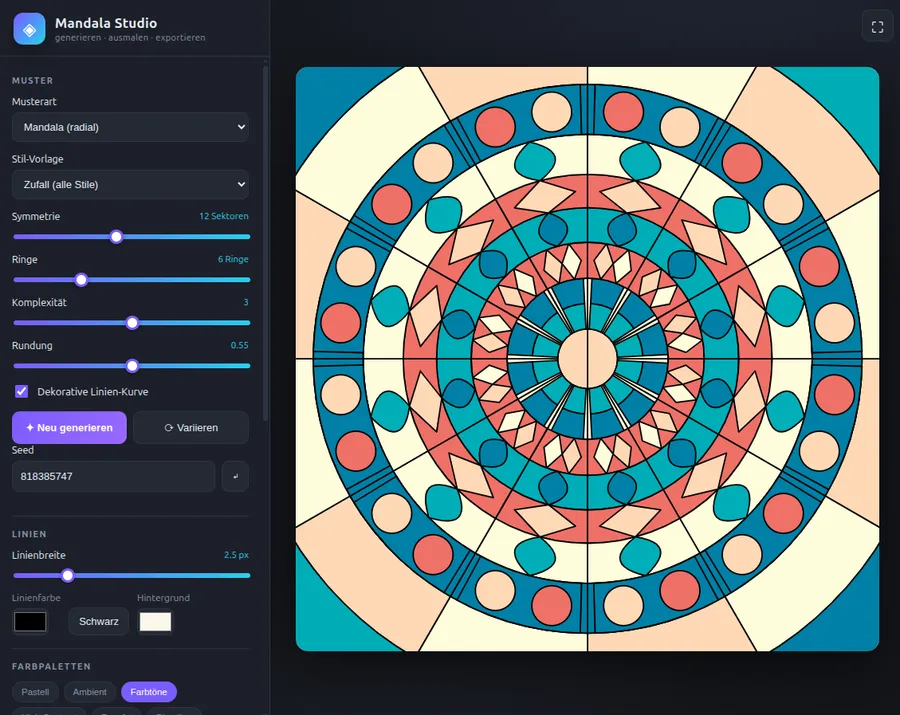
Mandala Studio is a studio that runs entirely in the browser for generating, colouring and exporting mandalas. It needs no backend, no build tools and no dependencies. You generate a pattern, colour it in with a click and download the result as an image or vector graphic.
Four pattern types: mandala (radial), tiling/parquet, fractal and polygon/geometry
Six style presets for mandalas: random, floral, geometric, kaleidoscope, minimal and ornament
Sliders for symmetry (3 to 24 sectors), rings, complexity and roundness
Regenerate, vary and direct seed input for reproducible results
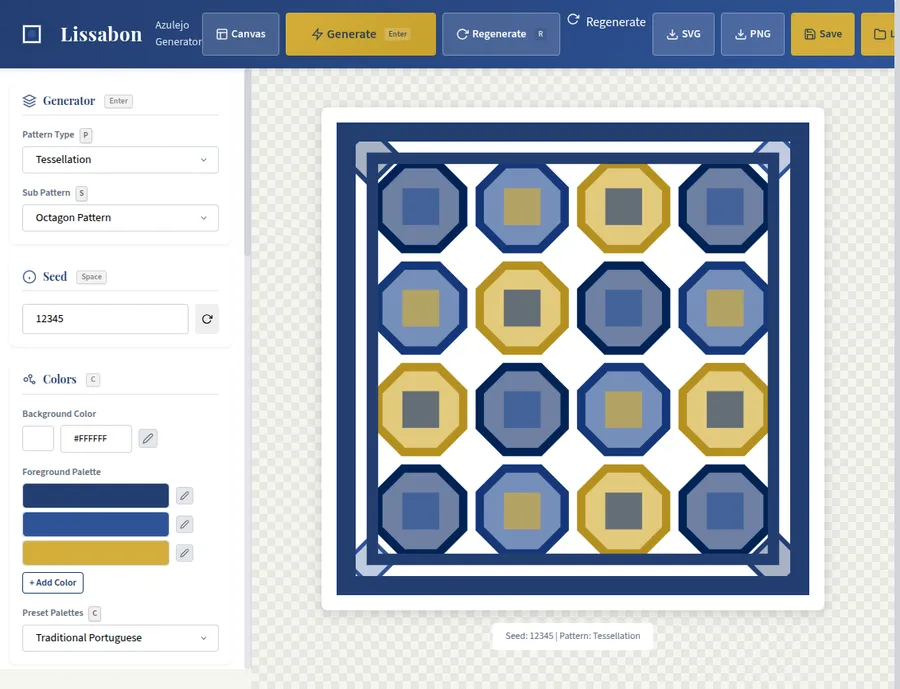
Lissabon is a browser-based generator for decorative tiles, inspired by the traditional Portuguese ceramics known as azulejos. The app runs entirely in the browser: you set patterns, colours and details and immediately get a tile you can download as SVG or PNG. This project is a small art workshop, not a service with an account or a server.
Nine pattern families: geometric, floral, ornamental, striped, checker, radial, Celtic, Moroccan and baroque
Seed-based generation: same seed, same tile
Several colour palettes, including traditional Portuguese, blues and earth tones, plus freely chosen background and foreground colours
Sliders for stroke width, fill opacity and complexity
A prompt builder for AI images: describe a subject, pick style, technique, colour palette and composition from templates, optimise the prompt and generate an image.
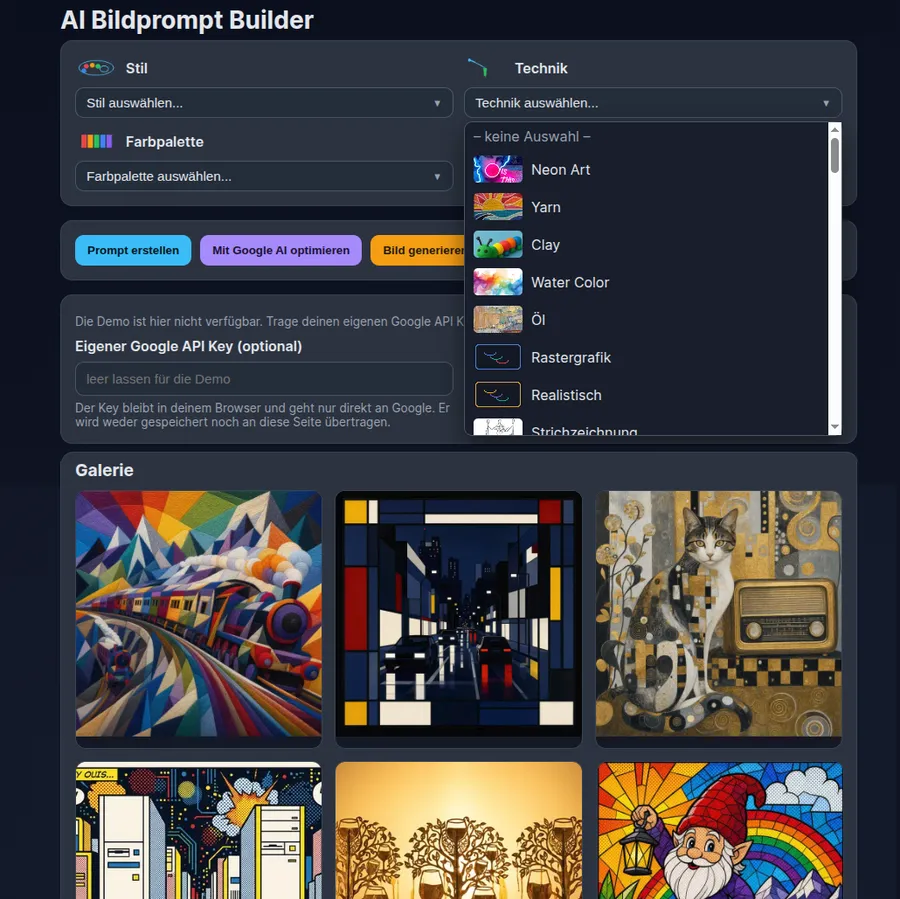
ArtImagePrompt is a tool that turns a short subject description into a detailed image prompt for AI image models. Instead of searching your memory for technical terms, you choose building blocks from templates: an art style, a technique, a colour palette and a composition. The app combines everything into one prompt, can have it improved by Google AI and generates an image on request.
Subject description as the basis of the prompt
Templates for style (41), technique (66), colour palette (21) and composition (15), each with its own preview symbol
Assembly into a finished image prompt with one click
Prompt optimisation with Google AI for more clarity and detail