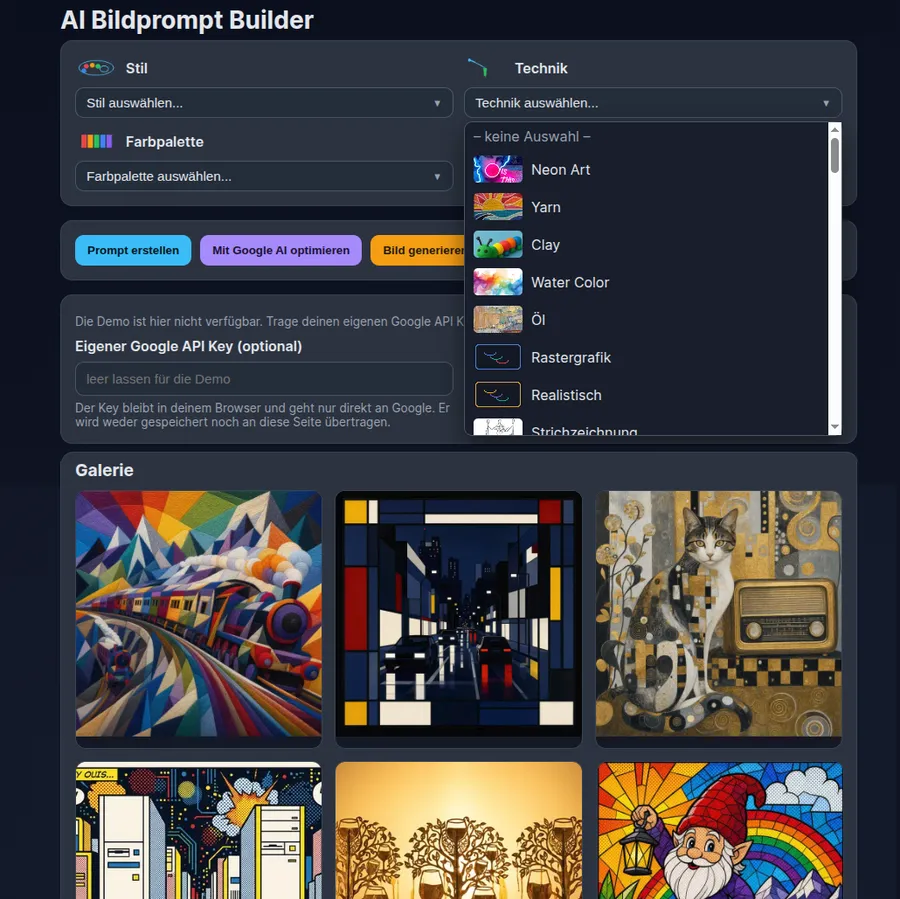
ArtImagePrompt is a tool that turns a short subject description into a detailed image prompt for AI image models. Instead of searching your memory for technical terms, you choose building blocks from templates: an art style, a technique, a colour palette and a composition. The app combines everything into one prompt, can have it improved by Google AI and generates an image on request.
Idea & philosophy
Good images from AI models rarely come from a single sentence. People who know art history, painting techniques and picture composition get far better results, but many lack exactly this vocabulary. ArtImagePrompt makes it accessible: the templates contain ready-made wording, for example for the style of Piet Mondrian, Katsushika Hokusai, Gustav Klimt or René Magritte, for techniques such as craquelure or woodcut, for palettes such as rainbow and for compositions such as golden triangle, leading lines or minimalism. You learn how art is described along the way.
There are two ways to try the site. Without your own key, a demo runs through a dedicated backend: the API key lives only on the server and never in the browser. To keep costs in check, a shared limit applies to all visitors together: 3 images per 10 minutes, 5 per hour and 10 per day. If you want to generate more, enter your own Google API key. The request then goes straight from your browser to Google, and the key is neither stored nor sent to this site.
Contents & features
Subject description as the basis of the prompt
Templates for style (41), technique (66), colour palette (21) and composition (15), each with its own preview symbol
Assembly into a finished image prompt with one click
Prompt optimisation with Google AI for more clarity and detail
Image generation right on the page, preview in the browser
Copy the prompt to the clipboard and reset the form
Demo without your own key with a shared limit: 3 images per 10 minutes, 5 per hour, 10 per day
Alternatively your own Google API key, which stays in the browser and goes directly to Google
Display of the remaining demo quota
Gallery of 16 example images with enlarged view, prompt and download
Status
The app is embedded on this site. The demo may be fully used or switched off at times. With your own Google API key the app works independently of that.
Note: Privacy: in the demo your prompt text is sent to the backend and from there to Google. Do not put personal data or confidential content into the prompt.
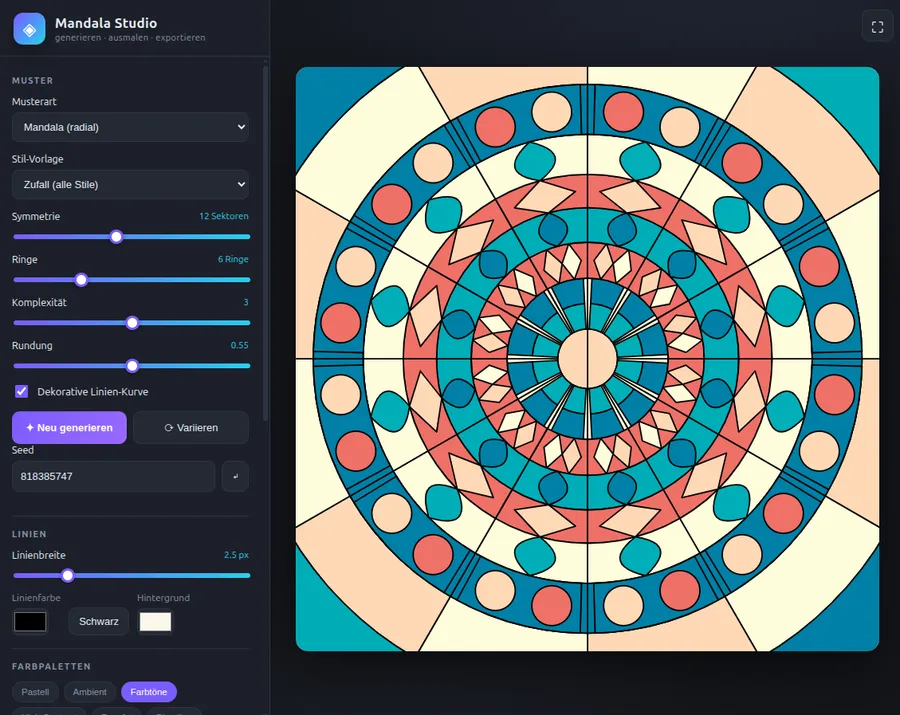
Mandala Studio is a studio that runs entirely in the browser for generating, colouring and exporting mandalas. It needs no backend, no build tools and no dependencies. You generate a pattern, colour it in with a click and download the result as an image or vector graphic.
Four pattern types: mandala (radial), tiling/parquet, fractal and polygon/geometry
Six style presets for mandalas: random, floral, geometric, kaleidoscope, minimal and ornament
Sliders for symmetry (3 to 24 sectors), rings, complexity and roundness
Regenerate, vary and direct seed input for reproducible results
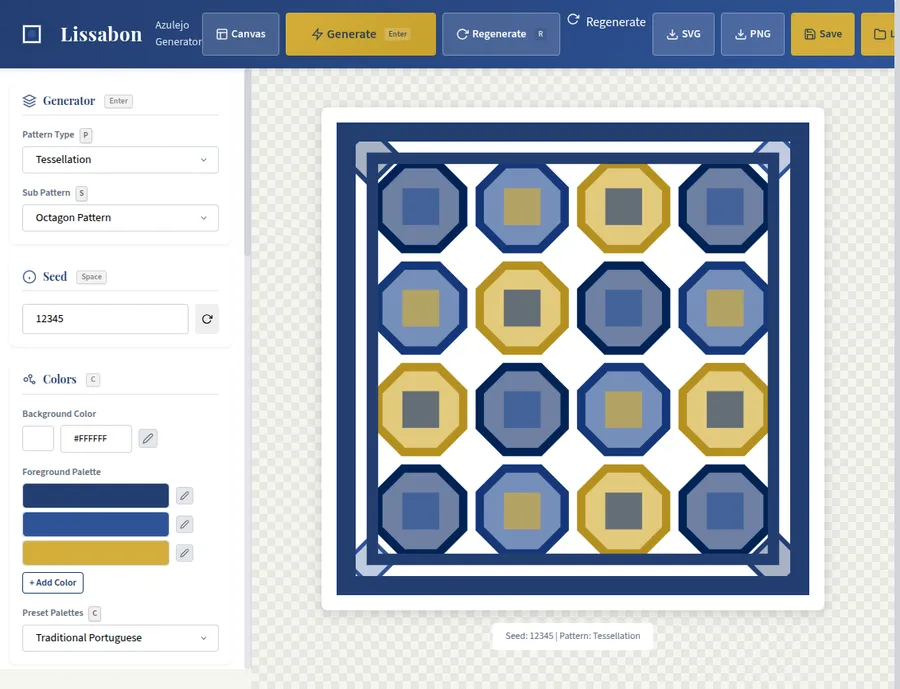
Lissabon is a browser-based generator for decorative tiles, inspired by the traditional Portuguese ceramics known as azulejos. The app runs entirely in the browser: you set patterns, colours and details and immediately get a tile you can download as SVG or PNG. This project is a small art workshop, not a service with an account or a server.
Nine pattern families: geometric, floral, ornamental, striped, checker, radial, Celtic, Moroccan and baroque
Seed-based generation: same seed, same tile
Several colour palettes, including traditional Portuguese, blues and earth tones, plus freely chosen background and foreground colours
Sliders for stroke width, fill opacity and complexity
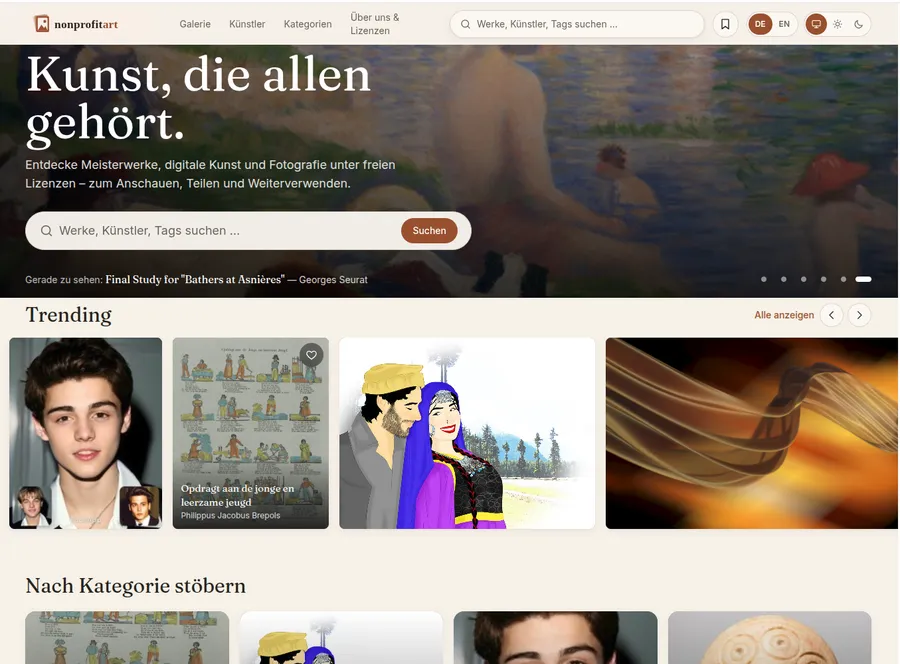
nonprofitart is a platform for artworks under free licences. The site describes itself as “a home for open art” and brings together masterpieces, digital art and photography that you may look at, download and reuse, as long as you follow the licence terms of each work. Its guiding idea is stated on the site itself: culture should not sit behind paywalls.
Discover home page with selected works, a random discovery (“Surprise me”) and rows such as Trending, Most loved or Newly added
Gallery with filters for category (Historical, Digital, Photography), epoch, licence, source, medium, artist, tags and orientation
Public-domain-only filter and year range for targeted searching
Four views: masonry, even grid, list with details and wall